
Quick Answer
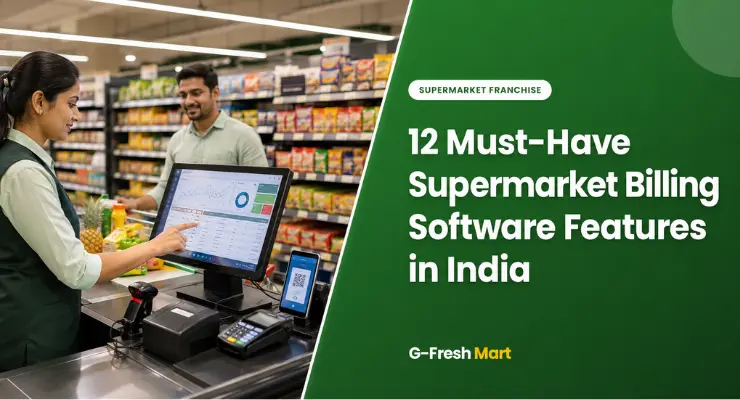
The 12 must-have features of supermarket billing software in India are:
- GST-compliant billing,
- Barcode scanning,
- Real-time inventory management,
- Multiple payment methods including UPI,
- Flexible pricing and promotions,
- Customer loyalty programme,
- Vendor management,
- Sales analytics and reporting,
- Cloud sync and offline mode,
- Staff management and role access,
- CRM integration, and
- Hardware compatibility.
G-Fresh Mart’s franchise package includes a fully configured billing system covering all 12 features at a one-time cost of ₹50,000 + GST.
Choosing the wrong billing software for your supermarket in India costs you more than just money – it costs you time, accuracy, and customer trust.
A slow POS at checkout creates queues that drive customers away. Missing GST compliance attracts penalties. Poor inventory tracking causes stockouts in your fastest-selling categories.
For franchise owners, getting the software right is as important as getting the location right.
This guide covers all 12 features that any supermarket billing software used in India must have in 2026, with specific reference to how each feature works in an Indian retail context.
Whether you are evaluating software for a mini supermarket franchise or a larger Super Mart format, use this as your evaluation checklist.
India’s retail software market has evolved significantly. Cloud-based solutions have replaced desktop-only systems.
UPI has become the dominant payment method in most Indian markets. GST compliance is non-negotiable.
And real-time inventory tracking – once a luxury feature – is now a basic operational requirement. This guide reflects what Indian franchise owners need in 2026, not what worked in 2020.
Feature 1: GST-Compliant Billing – Non-Negotiable for Indian Supermarkets
GST compliance is not a feature you can compromise on. Every transaction in your Indian supermarket must generate a GST-compliant invoice with the correct HSN code, applicable tax rate, and accurate breakdown of CGST and SGST.
Non-compliance attracts penalties, audit risk, and potential business disruption.
| GST Billing Requirement | Why It Matters | What to Check in Software |
| Automatic HSN code assignment | Different grocery products attract different GST rates (0%, 5%, 12%, 18%) | Software must auto-assign correct HSN per product category – not manual entry |
| CGST / SGST split | Intra-state transactions require equal split between central and state GST | Invoice must show CGST + SGST separately – not combined GST |
| IGST for inter-state | If sourcing from suppliers in other states – IGST applies | Software must handle IGST automatically based on supplier state |
| GSTR-1 compatible export | Monthly GSTR-1 filing requires transaction-level data | Software must export data in GST portal-compatible format (JSON/Excel) |
| Reverse charge mechanism | Some B2B purchases attract reverse charge GST | Software must flag and handle RCM transactions correctly |
| GST audit trail | GST authorities can request transaction records for up to 6 years | All transactions must be permanently logged – cloud storage preferred |
| 🚨 Red Flag Any billing software that requires manual entry of GST rates per transaction, cannot export GSTR-1 compatible data, or does not maintain a permanent audit trail is not suitable for an Indian supermarket. GST penalties for non-compliance start at 100% of unpaid tax – a ₹30,000–₹50,000 software investment is far cheaper than a single GST audit penalty. |
Feature 2: Barcode Scanning – Speed, Accuracy and Zero Manual Entry
Barcode scanning is the backbone of a fast checkout experience. In a busy supermarket serving 200–500 customers per day, every second saved at the billing counter reduces queue length and improves customer satisfaction.
Scanning also eliminates the most common source of billing errors – manual price entry.
| Scanner Type | Speed | Best For | Approximate Cost (India) |
| 1D laser handheld scanner | ~200 scans/minute | Small stores, standard FMCG products with standard barcodes | ₹1,500–₹4,000 |
| 2D omnidirectional scanner | ~300+ scans/minute | Busy stores, loyalty cards, QR code payments, multi-direction scanning | ₹4,000–₹12,000 |
| Wireless / Bluetooth scanner | Same as above but wireless | Mobility – staff can scan at display racks, not just counter | ₹5,000–₹15,000 |
| Mobile device scanner (phone) | Moderate | Budget setups – uses phone camera to scan | App-dependent — no hardware cost |
What to verify: Confirm your billing software supports both 1D (EAN-13, Code 128) and 2D (QR) barcode formats. Most Indian FMCG products use EAN-13. Loyalty cards and payment QRs use 2D formats. A software that only reads 1D barcodes will create friction at checkout as QR payments become standard.
Feature 3: Real-Time Inventory Management – Prevent Stockouts and Dead Stock
Real-time inventory management is the single feature that most directly impacts your daily profitability.
Knowing exactly what is in stock – and what is running low – prevents the two costliest inventory mistakes: stockouts in fast-moving items and overstocking in slow-moving ones.
See our guide on top selling supermarket items in India to understand which product categories need the tightest inventory monitoring.
| Inventory Feature | What It Does | Business Impact |
| Real-time stock deduction | Every sale automatically reduces stock count | Always know exact stock levels – no manual counting |
| Low-stock alerts | Automatic notification when item falls below reorder level | Never run out of fast-moving items like milk, atta, or cooking oil |
| Expiry date tracking | Flags products nearing expiry for discount or removal | Prevents losses from expired unsold stock – critical for dairy and snacks |
| Category-wise reports | View stock by brand, category, or supplier | Identify dead stock early – free up shelf space and cash |
| Purchase order generation | Auto-generates PO for supplier when stock hits reorder point | Reduces time spent on procurement — faster reorder cycle |
| Stock transfer (multi-store) | If you own multiple outlets – transfer stock between stores | Prevents waste – excess stock in one store fills shortage in another |
| Barcode-based stock audit | Count physical stock by scanning – compare to system records | Monthly audits take hours not days – identifies pilferage quickly |
Feature 4: Multiple Payment Methods Including UPI – Essential for Indian Customers
India’s payment landscape changed fundamentally with the growth of UPI. As of 2026, UPI accounts for over 50% of retail transactions in most Indian markets.
A supermarket billing software that does not support UPI is not suitable for Indian retail operations.
| Payment Method | Adoption in India | Must Support? | Integration Type |
| Cash | Still ~30-40% of transactions in Tier 2/3 cities | ✅ Essential | Built-in – no integration needed |
| UPI (PhonePe, GPay, Paytm) | 50%+ of digital transactions in India | ✅ Essential | QR code display or UPI POS terminal |
| Credit / Debit Card | 15–25% of transactions in urban markets | ✅ Essential | EDC machine / card swipe terminal |
| Contactless / NFC | Growing – tap to pay on cards and phones | ✅ Recommended | NFC-enabled EDC machine |
| Mobile Wallets (Paytm, etc.) | Declining but still used in some markets | 🟡 Optional | QR code integration |
| EMI on POS | For high-value purchases above ₹3,000 | 🟡 Optional for large format | Bank tie-up required |
| Credit (Khata / BNPL) | Common in Tier 2/3 kirana markets | 🟡 Optional | In-built credit ledger feature |
GST TDS on payments: Some payment aggregators deduct TDS at source. Your billing software must track these deductions automatically to ensure your GST filings are accurate and no double-counting occurs in your P&L.
Feature 5: Flexible Pricing, Discounts and Promotions Management
Indian supermarket customers are highly promotion-responsive. Festive discounts, BOGO offers, combo deals, and weekend specials drive significant footfall increases.
Your billing software must handle all of these pricing scenarios without requiring manual overrides at the counter – which create errors and slow checkout.
| Promotion Type | How It Should Work in Software | Indian Context Example |
| Flat discount (%) | Set % discount on product or category – auto-applied at billing | ‘10% off on all Haldiram’s namkeen this weekend’ |
| Fixed Amount Discount | Deduct ₹X from cart total – auto-applied with minimum purchase | ‘₹50 off on purchases above ₹500’ |
| Buy One Get One (BOGO) | Auto-add free item when qualifying item is scanned | ‘Buy 2 Amul butter packs, get 1 free’ |
| Combo / Bundle Pricing | Group products – charged at bundle price, not sum of individual | ‘Maggi 12-pack + Knorr soup = ₹299 bundle’ |
| Time-based pricing | Different price at different hours – e.g., morning fresh produce discount | ‘25% off vegetables after 7 PM’ |
| Member / loyalty price | Different pricing tier for loyalty card holders | ‘G-Fresh members get extra 5% on personal care’ |
| Supplier-funded promotions | Track which promotions are funded by brands vs store | Essential for claiming reimbursement from FMCG brand reps |
Feature 6: Customer Loyalty Programme – Build Repeat Visits Into Your System
Repeat customers are the foundation of a profitable supermarket. A customer who shops at your store every week generates 52 transactions per year.
A loyalty programme that rewards this behaviour increases visit frequency and average basket size simultaneously.
| Loyalty Feature | How It Works | Revenue Impact |
| Points accumulation | Earn 1 point per ₹10 spent – redeemable against future purchase | Incentivises minimum spend threshold per visit |
| Tiered membership | Silver, Gold, Platinum tiers based on monthly/annual spend | Higher tiers drive higher average spend to maintain status |
| Birthday rewards | Auto-send discount voucher on customer birthday | Creates personal connection – drives guaranteed visit that month |
| Referral tracking | Track which customers referred new customers | Word-of-mouth incentivised – lowest cost customer acquisition |
| Purchase history | Full transaction history per customer – searchable | Enables personalised promotions based on buying patterns |
| SMS / WhatsApp alerts | Auto-send offer notifications to loyalty members | Direct channel to your highest-value customers at zero ad cost |
Feature 7: Vendor and Supplier Management – Streamline Procurement
A supermarket with 500+ SKUs from 50+ suppliers generates significant procurement complexity. Without structured vendor management in your billing software, reordering becomes a manual, error-prone process that creates stockouts, delivery disputes, and payment reconciliation headaches.
- Vendor master data: store all supplier contact, GST number, payment terms, and lead time in one place
- Purchase order creation: generate and send POs directly from the system when stock hits reorder level
- GRN (Goods Received Note): confirm received quantity against PO before updating inventory
- Price variance alerts: flag when invoice price differs from PO price — catches overcharging
- Supplier payment tracking: outstanding payables per vendor with due date alerts
- Vendor performance report: track on-time delivery rate and order fill rate per supplier
- GST invoice matching: match supplier’s GST invoice to your purchase entry for ITC (Input Tax Credit) claims
| 💡 ITC (Input Tax Credit) – Don’t Leave Money on the Table Every GST-registered Indian supermarket can claim Input Tax Credit on GST paid to suppliers – reducing your overall GST liability. However, ITC can only be claimed if the supplier’s invoice is correctly matched in the GST portal. Your billing software must maintain purchase records in a format that enables accurate ITC reconciliation. Missing ITC claims is one of the most common and costliest mistakes in Indian retail. |
Feature 8: Sales Analytics and Reporting – Make Data-Driven Decisions Daily
A supermarket that does not track its sales data is operating blind. The right analytics features turn your billing system into a daily management tool – showing you exactly which products are driving profit, which are slow, when your peak hours are, and whether revenue is trending up or down.
| Report Type | What It Shows | Decision It Enables |
| Daily sales summary | Total revenue, transactions, average basket size by day | Quick daily P&L check – know if you hit target |
| Category-wise sales | Revenue and margin by product category (dairy, snacks, FMCG, etc.) | Which categories to expand shelf space – which to reduce |
| Top 50 SKU report | Fastest-selling individual products by revenue and quantity | Never let top-50 products go out of stock |
| Slow-moving stock report | Products with zero or low sales in last 30 days | Flag for discount, promotion, or removal to free shelf space |
| Hourly footfall report | Transactions per hour throughout the day | Optimise staffing – more cashiers during 5–8 PM peak |
| Margin report by product | Gross margin per product or category | Identify which products to push vs which are margin drains |
| Payment method split | Cash vs UPI vs card transaction count and value | Understand your customer payment preferences by day/time |
| Staff performance report | Transactions per cashier, average bill per cashier | Identify training needs – reward top performers |
Feature 9: Cloud Sync with Offline Mode – India’s Power Reliability Reality
Power cuts and internet outages are a reality in Indian retail – especially in Tier 2 and Tier 3 cities.
A billing software that stops working the moment the internet goes down is simply not suitable for Indian market conditions. Your software must handle both scenarios gracefully.
| Capability | Cloud-Based (Recommended) | Desktop-Only (Avoid) |
| Works during internet outage | ✅ Yes – offline mode stores transactions locally, syncs when reconnected | ❌ Depends on server – often freezes or requires restart |
| Data accessible from anywhere | ✅ Yes — owner can view sales from phone anywhere | ❌ Only at the store PC |
| Multi-device access | ✅ Multiple billing counters sync in real time | ❌ Single device typically |
| Automatic backup | ✅ Continuous cloud backup – no data loss risk | ❌ Manual backup – data loss if hard drive fails |
| Software updates | ✅ Automatic – always current version | ❌ Manual updates – may miss critical patches |
| Scalability (adding stores) | ✅ Add new store in minutes – same dashboard | ❌ New installation required per store |
| Monthly cost | ₹500–₹3,000/month SaaS fee | One-time ₹15,000–₹80,000 (but hidden maintenance costs) |
Feature 10: Staff Management and Role-Based Access Control
A supermarket with 3–8 staff members needs clear access controls. Your cashier should be able to process sales but not apply discounts above 5% or void completed transactions.
Your store manager should access all reports but not change supplier pricing. Your billing software must enforce these boundaries automatically.
| Role | What They Need Access To | What Must Be Restricted |
| Cashier | Billing, payment processing, customer lookup | Discount override, void transactions, inventory edits, any reports |
| Senior Cashier / Supervisor | Everything cashier can do + approve small discounts + void with reason | Price changes, supplier management, financial reports |
| Store Manager | All operations + full reports + inventory + staff performance | System settings, pricing structure, franchise-level data |
| Owner / Franchisee | Full access — all data, all settings, all reports | Nothing — full admin access |
- Audit log: every action by every staff member logged with timestamp and user ID
- Manual discount limit: set maximum discount cashier can apply without manager approval
- Void transaction approval: require manager PIN for any void after payment is processed
- Cash drawer reconciliation: end-of-day cash count vs system record – flags discrepancies
Feature 11: CRM Integration – Know Your Customers, Not Just Your Sales
Customer Relationship Management in a supermarket context means converting one-time buyers into loyal weekly shoppers. Your billing system collects transaction data on every customer – the CRM layer transforms that data into targeted promotions, personalised offers, and direct communication.
- Customer profile creation: Name, phone, email, residential area – collected at loyalty sign-up or first purchase
- Purchase history: Full transaction record per customer – what they buy, when they buy, average basket size
- Segmentation: Group customers by spend level, frequency, preferred categories – enables targeted promotions
- SMS / WhatsApp marketing: Send bulk offer messages to customer segments – e.g., all customers who buy baby products
- Feedback collection: Post-purchase SMS with feedback link – improves store operations based on real input
- Win-back campaigns: Auto-flag customers who have not visited in 30+ days – send re-engagement offer
Feature 12: Hardware Compatibility – Works With Your Existing Setup
The best billing software is useless if it does not work with the hardware you have – or forces you into expensive proprietary equipment. Check compatibility before purchasing.
| Hardware | What to Verify | Approx. India Cost |
| Barcode scanner | USB and Bluetooth connectivity – plug and scan without driver installation | ₹1,500–₹15,000 |
| Receipt printer (thermal) | Standard ESC/POS command support – works with most Indian thermal printers | ₹3,000–₹12,000 |
| Cash drawer | Opens automatically when cash payment is completed | ₹2,000–₹8,000 |
| Customer display | Shows bill total to customer during billing – builds trust | ₹2,500–₹8,000 |
| Weighing scale integration | Direct connection for produce sold by weight – auto-populates weight in bill | ₹3,000–₹15,000 |
| EDC / POS terminal (card payments) | Integration with bank’s EDC machine – card payment auto-populates in billing | ₹1,500–₹3,000/month rental or one-time ₹8,000–₹20,000 |
| Tablet / mobile POS | Run billing on Android tablet for flexibility | ₹8,000–₹25,000 device cost |
| G-Fresh Mart’s Billing Software Is Included in Your Franchise – Free Cloud-based POS | Real-time inventory | GST-compliant | UPI + card + cash | No extra cost 400+ stores | 22+ states | 45-day setup | ₹50,000 software fee (included in package) → Apply at G-Fresh Mart Franchise. |
How to Choose the Right Billing Software for Your Indian Supermarket – 5-Step Buyer’s Checklist
This checklist applies whether you are buying software independently or evaluating what a franchise includes. See supermarket franchise cost guide for how software fits into your total investment.
1. Confirm GST compliance first: Ask the vendor to demonstrate GSTR-1 export. If they cannot show you a real export file – walk away.
2. Test offline mode: Disconnect the internet and complete 5 test transactions. Does the software work smoothly? Do the transactions sync correctly when reconnected?
3. Check payment integrations: Test UPI QR, card swipe, and cash in the demo environment. All three must work without switching between systems.
4. Verify India-specific features: HSN codes, CGST/SGST split, ITC reconciliation, and Hindi/regional language receipt support must be present for Indian operations.
5. Request references from existing users: Speak to 2–3 supermarket owners who currently use the software. Ask specifically: Does it work reliably during power cuts? Is the support responsive? Any billing errors in peak hours?
| Software Option | Type | Monthly Cost (Est.) | GST Compliant | Best For |
| G-Fresh Mart (included in franchise) | Cloud POS – custom built for franchise | Included in ₹50,000 franchise software fee | ✅ Yes | G-Fresh Mart franchisees – fully configured Day 1 |
| Gofrugal RetailEasy | Cloud + Desktop | ₹1,500–₹5,000/month | ✅ Yes | Mid-size and large supermarkets |
| Marg ERP Retail | Desktop + Cloud hybrid | ₹2,000–₹6,000/month | ✅ Yes | Stores needing strong accounting integration |
| Vyapar | Desktop + Mobile | ₹500–₹1,500/month | ✅ Yes | Small stores – basic needs |
| TallyPrime with Retail Add-on | Desktop | ₹18,000–₹25,000 one-time | ✅ Yes | Businesses already using Tally for accounting |
| Petpooja (retail version) | Cloud | ₹1,500–₹3,000/month | ✅ Yes | F&B heavy supermarkets with cafe/bakery section |
| ✅ G-Fresh Mart Software Advantage G-Fresh Mart franchisees receive a fully configured, cloud-based billing and inventory management system as part of the franchise package (₹50,000 + GST – one-time). This includes: pre-loaded product database with GST rates for all 20,000+ SKUs, UPI and card payment integration, real-time inventory, daily sales dashboard, and dedicated technical support. No separate software purchase, no setup headaches, no compatibility issues. See how the software fits into the full franchise setup: refer to the how to start a supermarket franchise guide. |
Frequently Asked Questions
What is the best billing software for a supermarket in India in 2026?
The best supermarket billing software in India in 2026 is cloud-based, fully GST-compliant, supports UPI and card payments, offers real-time inventory management, and works in offline mode during internet outages. For G-Fresh Mart franchise owners, a fully configured billing system is included in the franchise package (₹50,000 + GST one-time fee) and is pre-loaded with product data, GST rates, and supplier integrations. For independent store owners, Gofrugal RetailEasy and Marg ERP are well-regarded options for mid-size Indian supermarkets.
How much does supermarket billing software cost in India?
Supermarket billing software in India costs ₹500 to ₹5,000 per month for cloud-based SaaS options (Vyapar, Gofrugal, Petpooja). Desktop software has a one-time cost of ₹15,000 to ₹80,000 (TallyPrime, Marg ERP). For G-Fresh Mart franchisees, the billing software is included as part of the franchise package at a one-time ₹50,000 + GST software fee – covering lifetime access, updates, and technical support.
Is supermarket billing software GST compliant in India?
All reputable supermarket billing software sold in India should be GST compliant – supporting HSN codes, CGST/SGST splits, IGST for inter-state transactions, and GSTR-1 compatible data export. Before purchasing any software, request a demonstration of the GST invoice and GSTR-1 export functions specifically. Software that cannot export GSTR-1 compatible data is not suitable for Indian retail operations regardless of other features.
Does supermarket billing software work offline in India?
Good cloud-based billing software for Indian supermarkets must include an offline mode – continuing to process transactions during internet outages and syncing automatically when connectivity is restored. This is a non-negotiable requirement given India’s power and internet reliability in many Tier 2 and Tier 3 cities. Always test offline mode specifically during a software demo before purchasing.
Can supermarket billing software handle UPI payments in India?
Yes – any modern supermarket billing software in India must support UPI payments, as UPI accounts for over 50% of digital transactions in most Indian retail markets. This is typically implemented through a UPI QR code displayed at the checkout counter (customer scans and pays) or through a UPI-linked POS terminal. Confirm that UPI payment confirmation is automatically recorded in the billing system without manual entry.
What is the difference between cloud and desktop billing software for supermarkets?
Cloud billing software stores data online – accessible from any device, with automatic backups, automatic updates, and multi-store management from one dashboard. It typically costs ₹500–₹5,000 per month as a subscription. Desktop software is installed on a local computer, costs ₹15,000–₹80,000 one-time, and does not require internet to run but cannot be accessed remotely and is vulnerable to data loss if the hard drive fails. For Indian supermarkets in 2026, cloud-based with strong offline mode is the recommended approach.
How many billing counters does a supermarket need?
A Mini Mart (500–800 sq ft) with 100–200 daily customers typically runs well with 1 billing counter. Stores above 800 sq ft or exceeding 200 daily customers benefit from 2 counters to prevent queue buildup during peak hours (typically 5–8 PM and weekend mornings). Your billing software must support multiple counters syncing in real time to the same inventory database – so both counters always show accurate stock levels.
What hardware is needed for a supermarket billing setup in India?
A complete supermarket billing hardware setup in India includes: a barcode scanner (₹1,500–₹15,000), thermal receipt printer (₹3,000–₹12,000), cash drawer (₹2,000–₹8,000), a computer or tablet running the POS software, and an EDC machine for card and UPI payments (₹1,500–₹3,000/month rental). A customer-facing display showing the bill total is recommended. Total hardware cost for a standard Mini Mart setup ranges from ₹15,000–₹50,000 depending on specifications chosen.